How to Use Temp Mail Safely - Temperal Mail
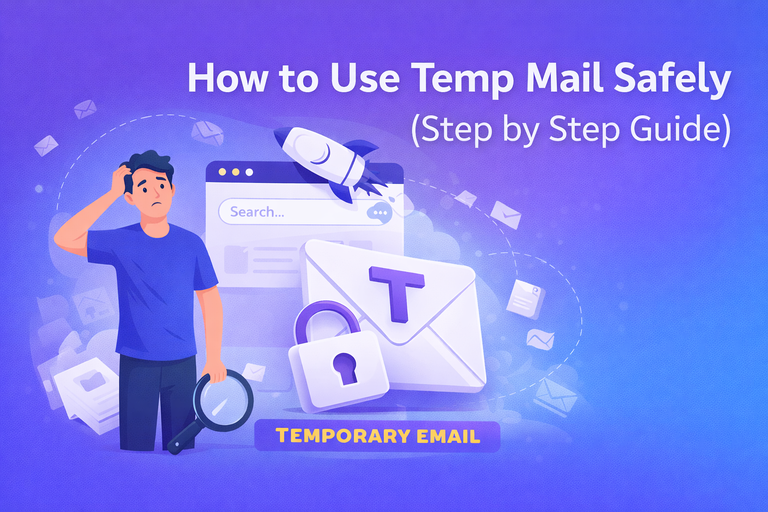
How to Use Temp Mail Safely
Temporary email, also known as temp mail or disposable email, is one of the best tools to protect your online privacy. Many people use temporary email addresses to avoid spam, create anonymous accounts, and receive instant verification messages without using their real email. In this guide, you will learn how to use temp mail safely, how it works, and the best tips to stay secure online.
What is Temp Mail?
Temp mail is a free online service that generates a temporary email address instantly. You can use this email to receive messages, OTP codes, or signup confirmations without revealing your personal email account. Once the time expires, the temporary mailbox deletes itself automatically.
This helps reduce spam emails, protects your identity, and keeps your main inbox clean.
Why Should You Use Temporary Email?
- Avoid unwanted marketing emails and spam.
- Protect your real email address from unknown websites.
- Create accounts quickly without registration.
- Test apps or services anonymously.
- Improve online privacy and security.
Step by Step Guide to Using Temp Mail Safely
Step 1 – Open a Trusted Temp Mail Website
Always use a reliable temporary email generator like Temperal Mail. When you open the website, a new email address will be created automatically for you.
Step 2 – Copy Your Temporary Email Address
You will see an email address at the top of the page. Click the copy button and use it wherever you need to receive emails or verification codes.
Step 3 – Use the Email for Signup or Verification
Paste your temp email into the signup form of any website, social media platform, or online tool. Wait for the incoming message to arrive in your temporary inbox.
Step 4 – Check Incoming Messages
Most temp mail services refresh automatically. When the message arrives, open it and copy the verification link or OTP code.
Step 5 – Let the Email Expire Automatically
After you finish using the email, you don’t need to delete anything manually. The system removes temporary emails automatically after some time.
Safety Tips When Using Disposable Email
Using temp mail is easy, but you should follow some safety rules to protect your online activity:
- Never use temporary email for banking or sensitive accounts.
- Avoid sharing personal information in temporary inbox messages.
- Use HTTPS secure websites only.
- Do not rely on temp mail for long-term communication.
- Always refresh your email before closing the page.
Best Uses of Temp Mail
Temporary email is useful for many online activities. Here are some common examples:
- Signing up for websites without spam.
- Testing apps or free trials.
- Downloading ebooks or tools safely.
- Joining online forums anonymously.
- Creating social media accounts for testing.
Advantages of Using Temperal Mail
Temperal Mail offers a fast and secure way to create temporary email addresses. The service is completely free and unlimited. You can generate new email addresses instantly and receive messages without login or registration.
- Instant email generation
- No signup required
- Unlimited usage
- Spam protection
- Simple and fast interface
Common Mistakes to Avoid
Many beginners make small mistakes when using temp mail. Avoid these issues to stay safe:
- Using temp mail for important accounts.
- Closing the tab before receiving the email.
- Sharing temporary inbox links publicly.
- Saving passwords linked to disposable emails.
Is Temp Mail Legal and Safe?
Yes, temporary email services are legal and widely used for privacy protection. However, you should always use them responsibly and follow the rules of each platform. Temp mail is designed to improve online safety, not to misuse services.
Final Thoughts
Using temp mail safely is simple when you follow the right steps. Disposable email helps you stay anonymous, avoid spam, and protect your personal inbox. With services like Temperal Mail, you can generate temporary email addresses instantly and use them without any limits.
Frequently Asked Questions (FAQ)
Q1: Is temp mail free to use?
Yes, most temporary email services including Temperal Mail are completely free.
Q2: Can I send emails using temp mail?
Most disposable email services only allow receiving emails, not sending.
Q3: How long does a temporary email last?
The duration depends on the service, but emails usually expire automatically after some time.
Q4: Is temporary email secure?
Yes, it is secure for basic online activities, but avoid using it for sensitive accounts.
Q5: Why should I use temp mail instead of my real email?
It helps prevent spam and protects your personal identity online.
Related Guides: